Attune — how to use it
A fidelity check on a message before you send it, and a decoder for the ones you get. Two minutes to learn.
Checking a message
- To — a name is enough ("Sam"). Already know something useful? Write it after the name: "Sam, my US manager, dislikes hedging". Either way the tool builds its picture of each person as you use it.
- What you want to say — your own words or a rough draft, any language. English is fine even if the message will go out in Chinese; the tool renders in the recipient's language.
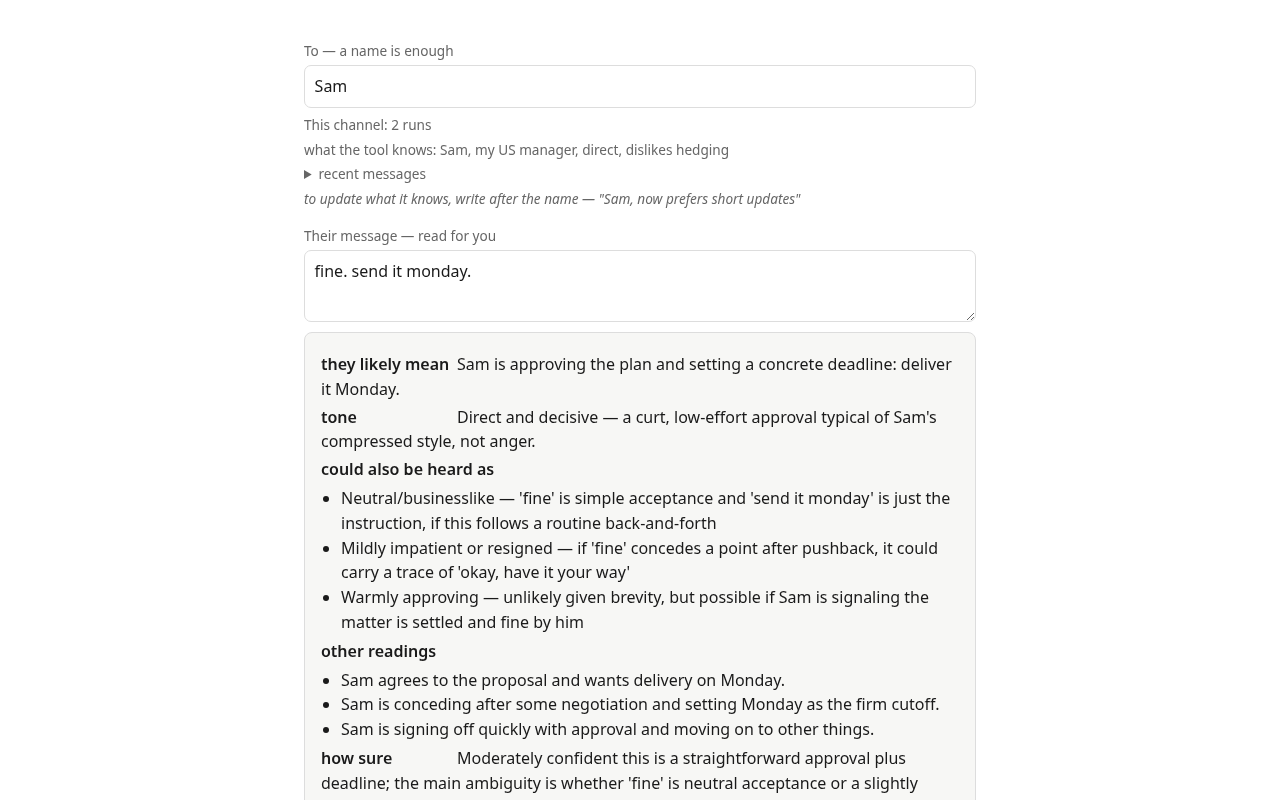
- Their message — if you're replying, paste what you're answering. You'll get a reading of their message first (tone, what they likely mean — "terse, not angry"), then candidate replies that actually answer it. Or hit Read it for me for the reading alone, no reply. Starting fresh? Leave it empty.
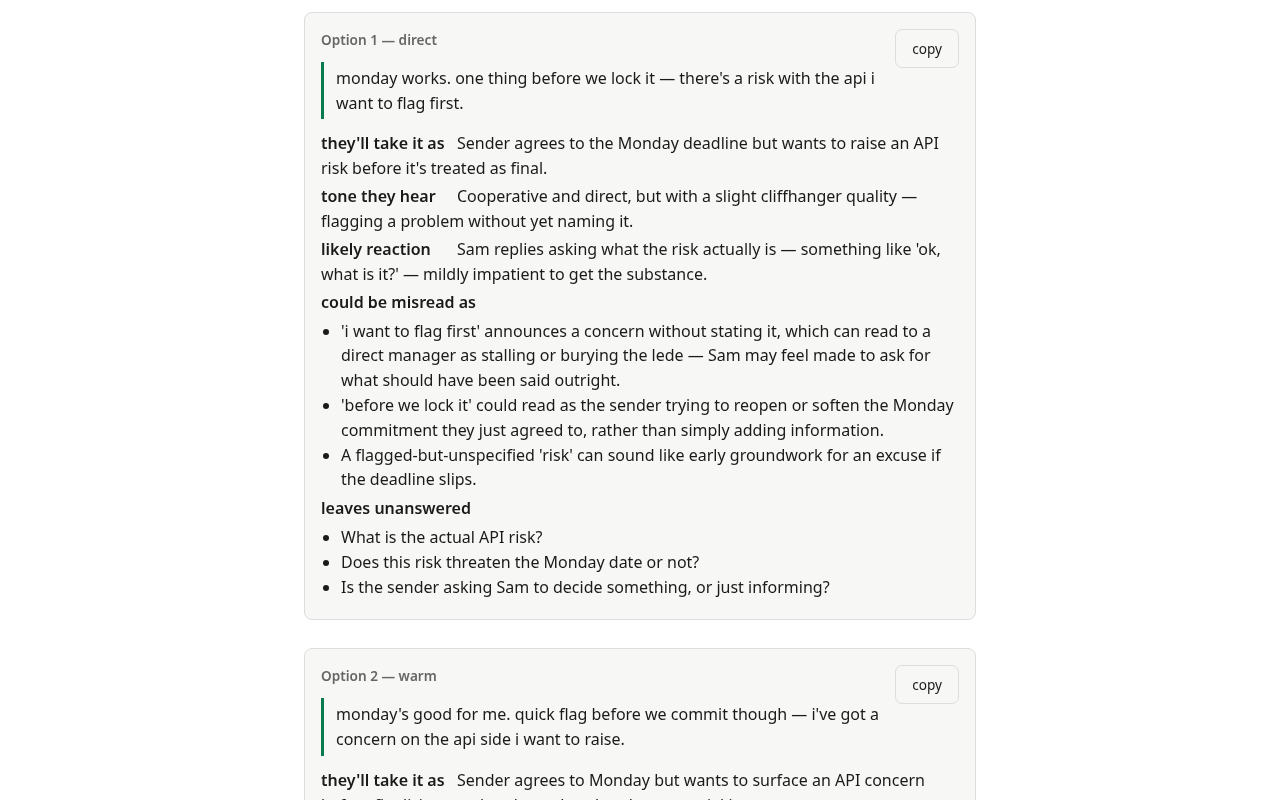
- Hit Attune. You get: what the tool understood you to mean (check this first), two candidate messages, and — for each — how it's likely to land on a cold read.
- Copy the one that matches your intent and send it yourself. The tool never sends.
Channels — why it gets better
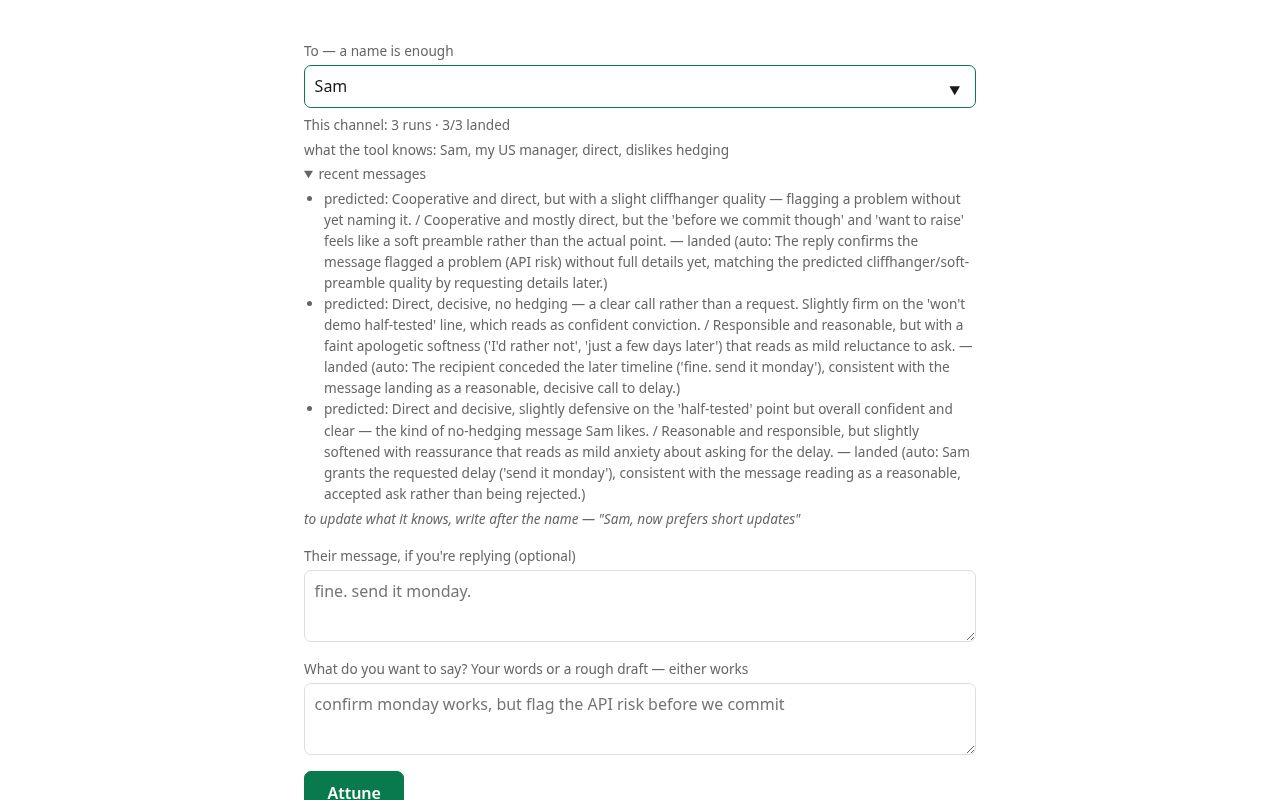
Everyone you write to becomes a channel, automatically. The tool builds a private model of each one: which register you tend to choose, what has misfired before, how they read tone. The third message to someone knows things the first couldn't. Reports of how a message actually landed teach it fastest — and those arrive on their own: when their reply comes back through the tool, it checks the reply against what it predicted and records whether the message landed. "Erase" at the bottom of the page removes everything.
Limits
- Predictions are priors, not verdicts. The tool shows what's likely; only the real reply knows for sure.
- The reception judge is blind — it never sees what you meant, only the message. That's deliberate: a judge that knew your intent would read it into the words. You do the comparison.
- Nothing you write is stored. Saved channels keep only what the tool learned, never the messages. See Privacy, stated plainly.
Tips
- Have a real draft? Paste it straight into "what you want to say" — the tool works out your intent from it.
- Paste a few of your own past messages under your voice once, and results start sounding like you instead of a generic professional.
- Browser extension
(install from the Chrome Web Store):
press
Ctrl/⌘+Shift+Y, click the Attune button, or right-click a selection — it opens beside your mail with the recipient and the message you're answering already filled in, and figures out on its own whether you're drafting or replying. On each option, insert puts the text at your cursor, and replace swaps it for the draft you started from — your signature and the quoted thread stay put, and Ctrl+Z brings the old draft back. Either way you still hit send yourself. - Prefer the interface in Chinese? The 中文 link in the footer switches it — including the readings and predictions the tool writes for you. What language your message goes out in is a separate thing: that always follows the person you're writing to.